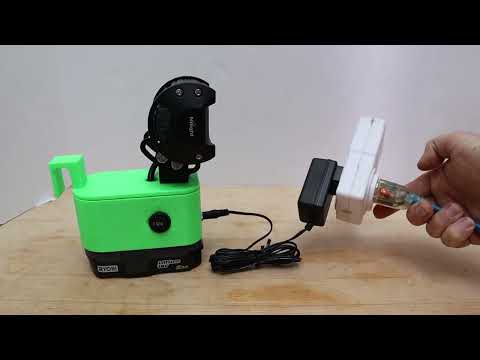
Video by BenjaminNelson via YouTube
Source
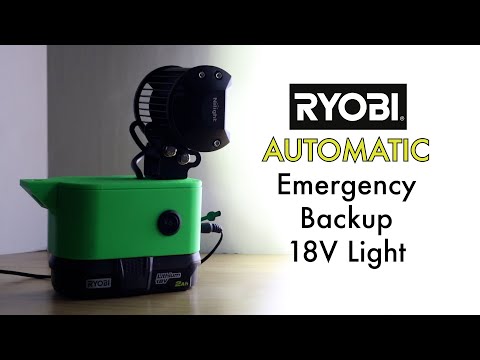
Today, we’ll show you step-by-step how to build a light that turns on automatically when the power goes out! https://300mpg.org/2023/04/03/ryobi-automatic-emergency-light/
Please click SHOW MORE!
This is a project to use existing power-tool batteries I already have to create a light which turns on automatically during power-outages. It can also be turned on manually to simply use it as a flashlight.
Blog post with lots more details!
The LED light is one designed to run on a range of DC voltage inputs, including 12 and 24VDC. That’s perfect for our 18V Ryobi Battery.
STL files:
https://www.thingiverse.com/thing:5948642
or
https://www.printables.com/model/441987-ryobi-emergency-light
Parts List –
LED Light: https://amzn.to/3JSX18q
ON/OFF/ON Switch: https://amzn.to/3Ket1Fo
Relays: https://amzn.to/3TNGcQZ
1/4" Spade Quick Disconnects: https://amzn.to/40sUfhl
DC Input Jack: https://amzn.to/3TQ5XQE
Keystone 209 Clip (Ryobi Battery Contact): https://amzn.to/3niCC56
Any low-power 12V DC Power Adapter, for example: https://amzn.to/40eKNOx
Just make sure the size of the power adapter matches the DC input jack.
Also needed:
Soldering iron, solder, 18 AWG stranded wire, wire stripper, wire crimper.
This project was printed on an Ender 3 S1 3D Printer:
https://amzn.to/3LY1h9B
Attribution:
The 3D print is a modification of a project by Thingiverse user "toeonly" https://www.thingiverse.com/toeonly/designs
Which was originally based on a Ryobi Soldering Station by JeffWDH: https://www.thingiverse.com/thing:4303879
The power meter I was using to show wattage is a "Kill-a-Watt" style, but a different brand name. I like it because it holds energy usage info after being removed from wall power: https://amzn.to/3LYuReZ
This is just a quick look at this project. There will be an upcoming full step-by-step "How-To" Video soon!
If you like what I do you can support me at:
https://www.patreon.com/300MPG
By shopping at Amazon anyways: www.amazon.com/shop/benjaminnelson
For more Information, visit:
https://300mpg.org
Most Popular Playlists:
Build Your Own Electric Car: https://bit.ly/2zMufmN
Build Your Own Electric Motorcycle: https://bit.ly/2AT7eOF
Solar Garage: https://bit.ly/2KgQpS5
Contact Ben Nelson:
Please just leave a comment for me at: https://300mpg.org/about/
and I’ll get right back to you.
Music by:
"Late Night Radio" Kevin MacLeod (incompetech.com)
Licensed under Creative Commons: By Attribution 3.0 License
http://creativecommons.org/licenses/by/3.0/
As an Amazon Associate I earn from qualifying purchases. Amazon links help support this these videos.